• Home
  • About 404TS
  • Contact

404 Tech Support

Where IT Help is Found

  • Articles
    • Code
    • Entertainment
    • Going Green
    • Hardware, Gadgets, and Products
    • Management
    • Network
    • News
    • Operating Systems
    • Security and Privacy
    • Software
    • System Administration
    • Talking Points
    • Tech Solutions
    • Web
    • Webmaster
  • Reviews
  • Media
    • Infographics
    • Videos
  • Tech Events
  • Tools
    • How do I find my IP address?
    • Browser and plugin tests
  • Get a Technical Consultation
You are here: Home / Articles / Webmaster / Anthologize – A Promising WordPress Plugin That Turns Your Blog Into a Book

Anthologize – A Promising WordPress Plugin That Turns Your Blog Into a Book

2010-08-04 by Jason

More than one WordPress-powered blog has made the leap into book format and many more are hoping to follow suit. A WordPress plugin under development just made the platform the perfect place to start if you’re an aspiring author. Anthologize is under development at the Center for History and New Media of George Mason University currently at version 0.3-alpha and it already allows you to export your blog posts to a number of eReader formats.

Anthologize development is helmed by Boone Gorges, a developer specializing in BuddyPress. As a WordPress plugin, Anthologize is simple to install. From your WP admin panel, just go to Plugins, Add New and do a search for Anthologize. You can then install it from there. You can also find it and manually upload it to your servers from the WordPress.org plugin site.

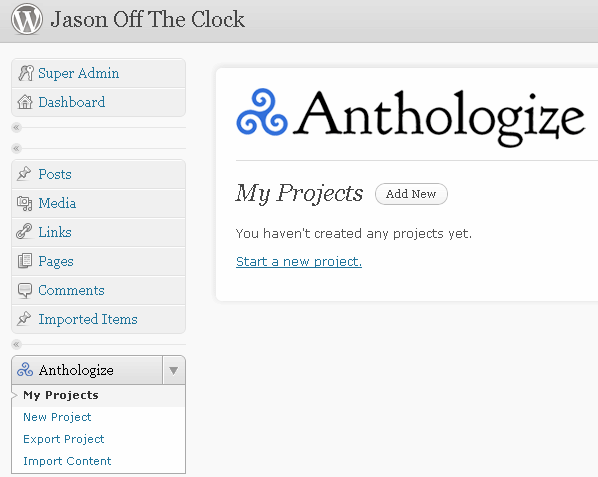
Once you have the plugin installed and activated, you’ll find a new entry on the left-hand column of your WP admin fittingly called ‘Anthologize. If you expand it, you’ll see some options and since this is your first look at Anthologize, you’ll want to create a new project.
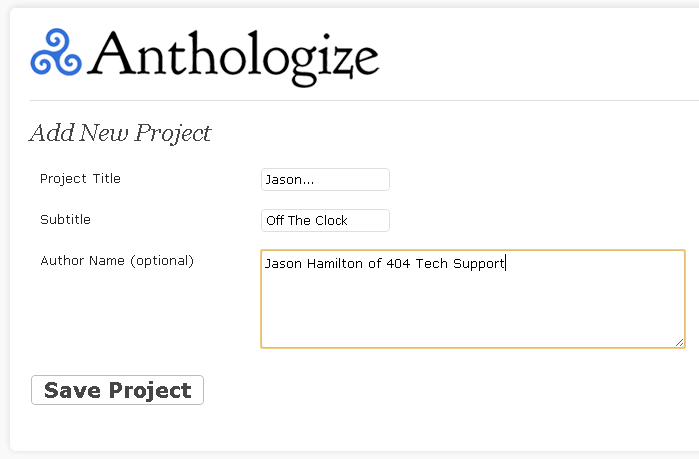
For your new project, you can give it a title, subtitle, and authors to begin.
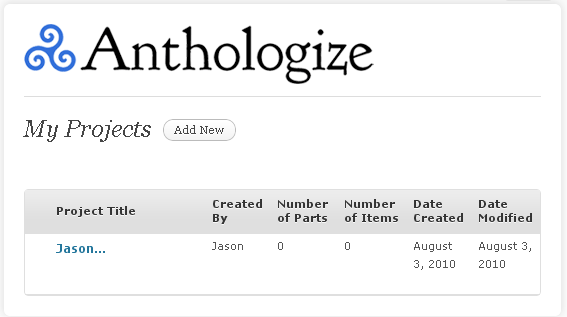
Once you have the project created, you can see an overview of it and your progress on it. You can hover over the name to see more options. The next step is to manage the parts of your project.
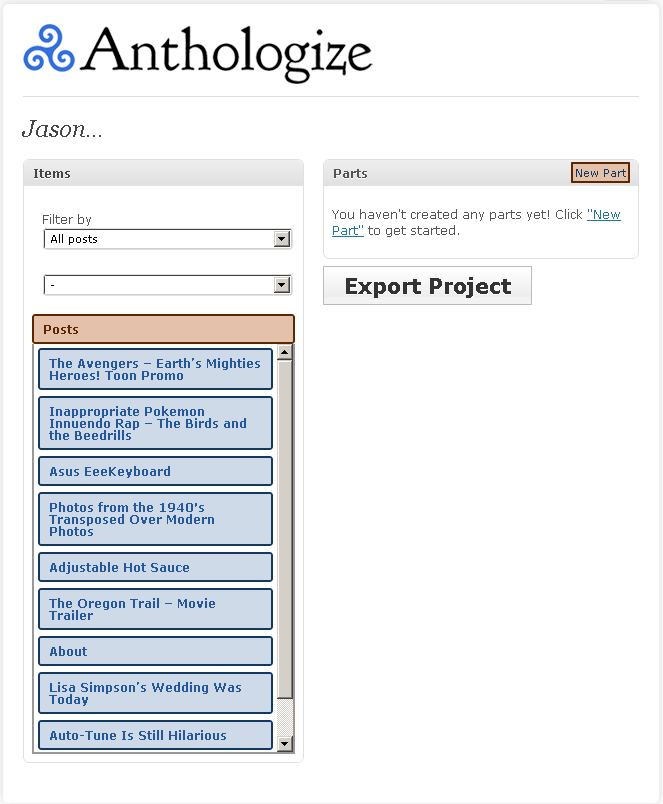
To manage the parts, you’ll need to create new part and then drag your posts into the appropriate part.
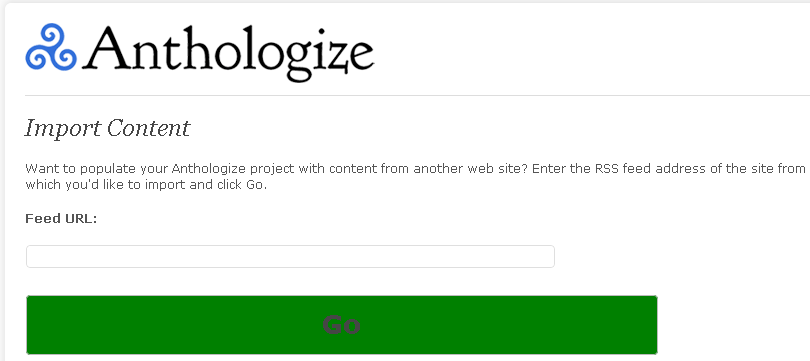
You can also import content from an RSS feed. You’ll find this option on the left column Anthologize sub-section.
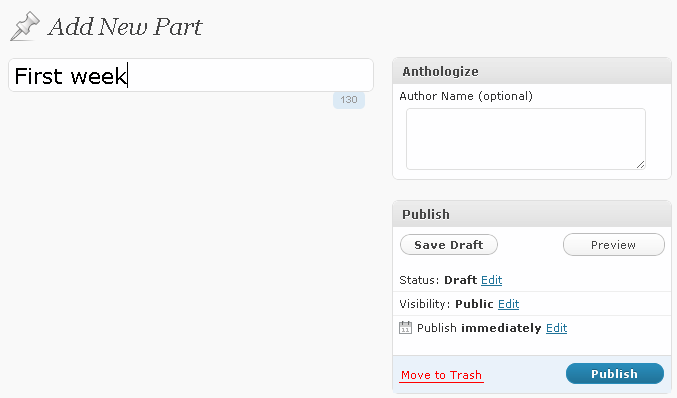
To create a new part, you just give it a name and optionally give it an author name.
You can create multiple parts and filter your posts by tag or category to simplify the creation process. Drag and drop the posts into the parts where they belong. Once you have the parts where you want, edited, and finalized, hit the Export Project button at the bottom.

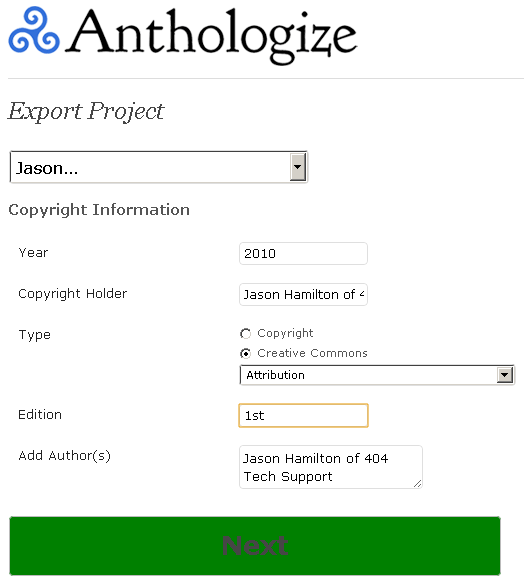
You’ll get to set a few details before the project is compiled like year, copyright info, edition, and other authors.
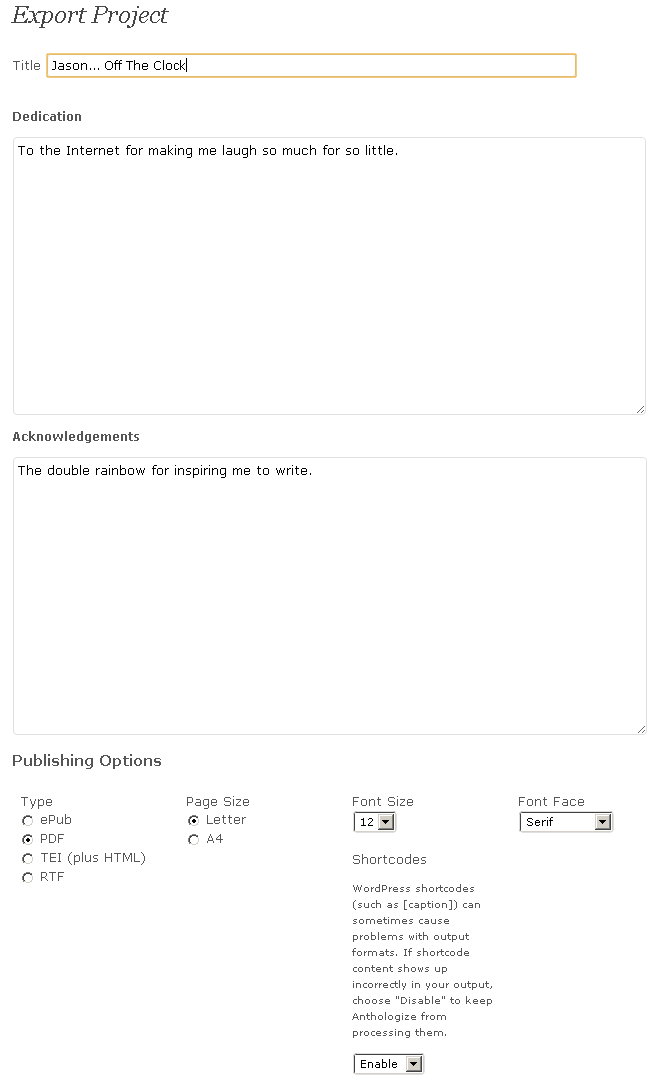
The next section allows you to write a dedication and acknowledgment section before you choose the publishing options. You can export in several ebook formats, including PDF, EPUB, and TEI.
I got an error with one of my images when exporting to PDF but I was able to export to all the other formats.

Here’s page one of the project exported to RTF…

and page 2.

Exported to epub format, it looks even sleeker.

This is quite a novel idea (pun intended) and the Anthologize plugin is already very promising just at version 0.3-alpha. I think it will definitely be something to keep your eye on if you’re looking to make a book from your blog. Watch it with me here: http://anthologize.org/

Filed Under: Webmaster

Trending

  • Product Review: Flip Video
    In Entertainment, Hardware, Gadgets, and Products, Reviews
  • Optimal TV Size and Viewing Distance
    In Entertainment, Hardware, Gadgets, and Products, Media
  • A Typical Freelance Job
    In Tech Solutions

Latest Media Posts

Find Out Where To Download SNES ROMs

Find Out Where To Download SNES ROMs

Multifunctional Video Conversion Tools – Wondershare Video Converter

Multifunctional Video Conversion Tools – Wondershare Video Converter

  • Popular
  • Latest
  • Today Week Month All
  • Access to the resource [servershare] has been disallowed Access to the resource [servershare] has been disallowed
  • Windows Server 2012: Installing Active Directory Users and Computers and Group Policy Management Console Windows Server 2012: Installing Active Directory Users and Computers and Group Policy Management Console
  • How to ‘Unblock’ multiple files at a time with PowerShell How to 'Unblock' multiple files at a time with PowerShell
  • Increase IIS Private Memory Limit to improve WSUS availability Increase IIS Private Memory Limit to improve WSUS availability
  • Setup your DFS namespace with DNS for compatibility in a mixed environment Setup your DFS namespace with DNS for compatibility in a mixed environment
  • How Virtual Reality Supports Mental Health Therapy How Virtual Reality Supports Mental Health Therapy
  • Key Strategies of Successful Coin Listing on Exchange Key Strategies of Successful Coin Listing on Exchange
  • Keeping Your Mac Healthy: A Comprehensive Guide to Maintenance and Troubleshooting Keeping Your Mac Healthy: A Comprehensive Guide to Maintenance and Troubleshooting
  • Making Distributed Software Development Work: Strategies and Best Practices for Managing Remote Teams Making Distributed Software Development Work: Strategies and Best Practices for Managing Remote Teams
  • customer contactless payment for drink with mobile phon at cafe counter bar,seller coffee shop accept payment by mobile.new normal lifestyle concept The Latest Innovations In Payment Technology
Ajax spinner

Elevator Pitch

404 Tech Support documents solutions to IT problems, shares worthwhile software and websites, and reviews hardware, consumer electronics, and technology-related books.

Subscribe to 404TS articles by email.

Recent Posts

  • How Virtual Reality Supports Mental Health Therapy
  • Key Strategies of Successful Coin Listing on Exchange
  • Keeping Your Mac Healthy: A Comprehensive Guide to Maintenance and Troubleshooting

Search

FTC Disclaimer

404TechSupport is an Amazon.com affiliate; when you click on an Amazon link from 404TS, the site gets a cut of the proceeds from whatever you buy. This site also uses Skimlinks for smart monetization of other affiliate links.
Use of this site requires displaying and viewing ads as they are presented.

Copyright © 2026 · Magazine Pro Theme on Genesis Framework · WordPress · Log in