
• Home
  • About 404TS
  • Contact

404 Tech Support

Where IT Help is Found

  • Articles
    • Code
    • Entertainment
    • Going Green
    • Hardware, Gadgets, and Products
    • Management
    • Network
    • News
    • Operating Systems
    • Security and Privacy
    • Software
    • System Administration
    • Talking Points
    • Tech Solutions
    • Web
    • Webmaster
  • Reviews
  • Media
    • Infographics
    • Videos
  • Tech Events
  • Tools
    • How do I find my IP address?
    • Browser and plugin tests
  • Get a Technical Consultation
You are here: Home / Articles / Software / Hands-on With The Firefox 4 Beta 2

Hands-on With The Firefox 4 Beta 2

2010-07-28 by Jason

Firefox 4 is under development with the first beta available and the second beta just hit the wire. The new version is, of course, getting faster and improving security but let’s check out some of the new features to see some of what’s coming next with Firefox. The features differ a little bit depending on your operating system with Windows Vista/7 leading the way in having the latest features included although beta 2 also brought these features to Mac OS X and Linux theme changes will be coming soon.

I tested on Windows XP, so I don’t get to see all of the features but you can get quite the overview by checking out the Firefox 4 Beta Features page and watching the embedded video.

Here’s a screenshot of a freshly installed Firefox 4 beta 1 on Windows XP. Some changes you’ll notice immediately while others might be more subtle.
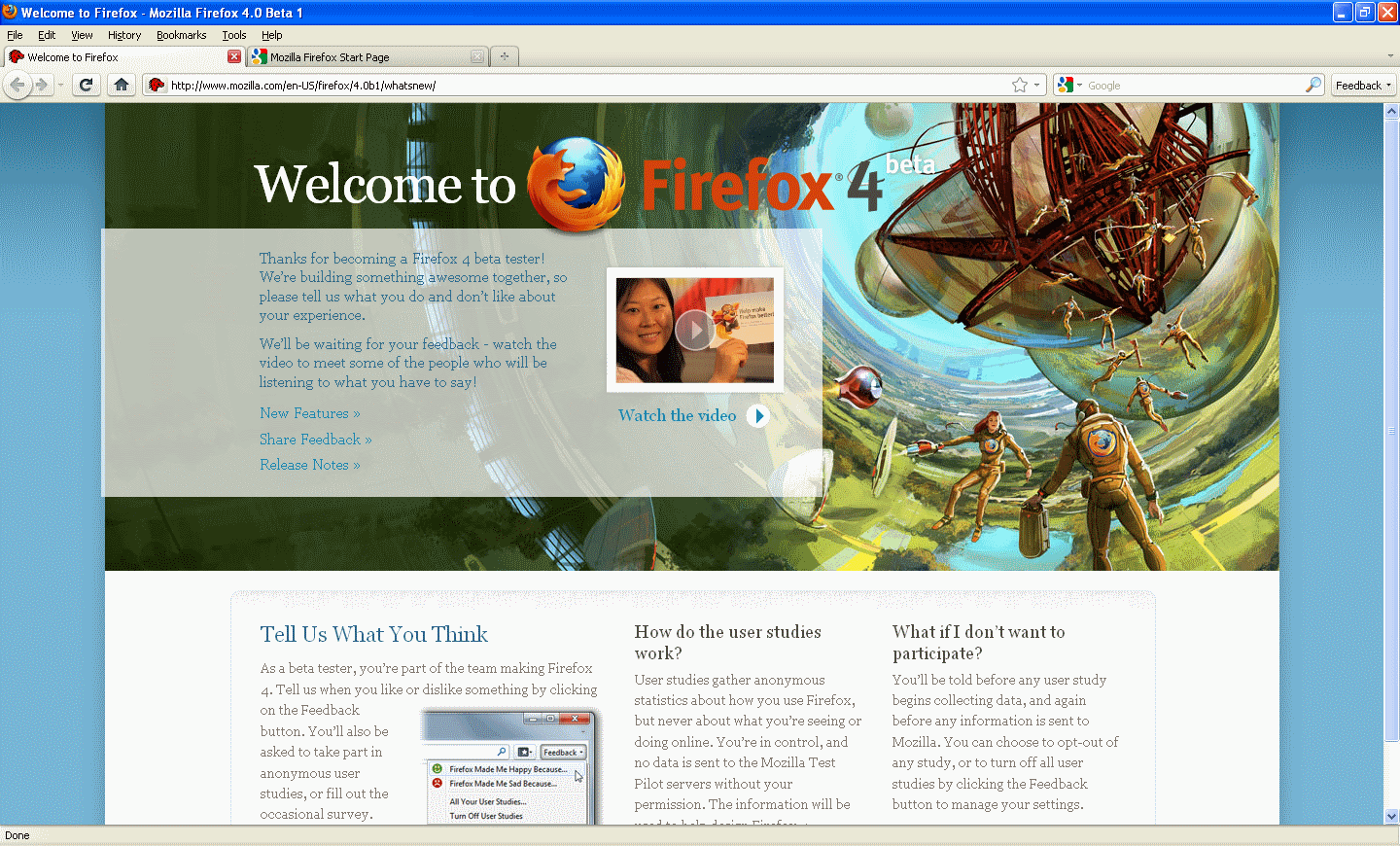
The most noticeable change for me was the tab location. It’s getting a lot of buzz because this means Firefox is moving towards a similar UI experience as Opera and Chrome by having the tabs on top. Fortunately and very importantly, this change is a preference. This means when you start a new profile or just install Firefox, the tabs are going to be on top. However, you can simply right-click the menu area and uncheck ‘Tabs on top’ for the tabs to return to the position you’ve known for the previous versions.

I’m looking forward to really getting to try the new tab position in my usual workflow (not when I’m consciously staring at it because I know it’s new). Often I’ll go to click to switch a different tab and end up accidentally clicking something on my bookmark toolbar, which changes the page I’m currently at and could be quite detrimental depending on what the current tab is doing. Mozilla has plenty of justification for changing the default tab position.
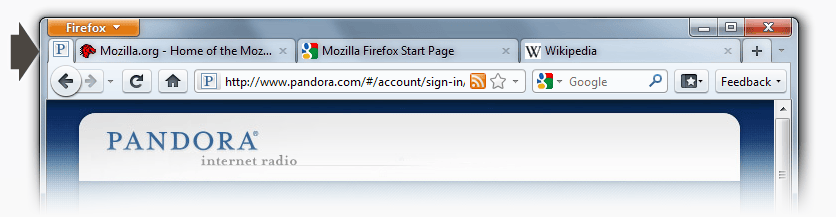
Another cool feature coming with Firefox 4 are called App Tabs. They’re a smaller tab that is kept to the left and can’t be closed accidentally. This is ideal for the web pages you always have open, like your streaming music, your e-mail, and your calendar. It saves room but is still quickly accessible, for example if a song comes on the radio that you want to quickly skip. It scrunches the tab down to just the favicon. You easily make an App Tab by right-clicking on the tab and toggling between ‘Make into App Tab’ and ‘Make into Normal Tab’.
The Firefox button only works on Windows Vista and 7 machines so I’m borrowing this image from the Firefox beta page to show you it. It looks and operates a lot like the Microsoft Office button, consolidating the menu bar into a simple, cleaner vertical menu.
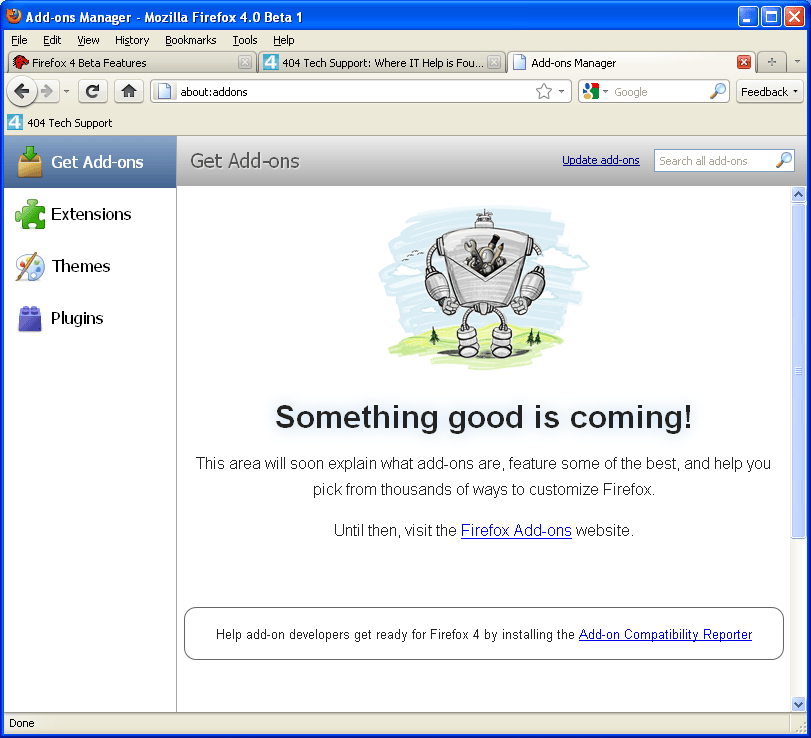
Another great change comes to add-ons. They’ll be getting a new interface but also change that they can be installed without having to restart the browser, a long overdue feature.
Add-Ons can be installed without restarting the browser, and can be developed more easily using the new JetPack SDK and js-ctypes.
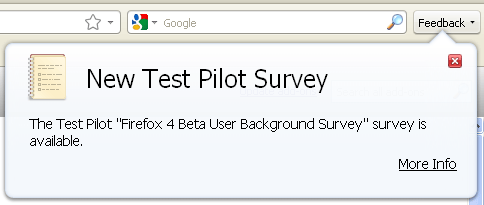
For the beta tests, there is a Feedback add-on installed that allows you to send the positives and negatives of your experience with the beta to the developers by means of the happy/sad faces. This feedback is crucial to getting the best product experience when the browser becomes the final version.

Along with the happy/sad feedback, there are also User Studies that might take the form of more in-depth surveys. You always have to opt in to taking a survey or participating in a user study.

You can check out the Firefox 4 Beta 2 for yourself from the Firefox Beta site. You can also read about the user interface design on the Firefox User Experience blog and a related site.

Filed Under: Software

Trending

  • No Wireless Networks Detected After Reimaging
    In Code, Network, Software, System Administration, Tech Solutions
  • Product Review: D-Link DGS-1008G 8-Port Gigabit Desktop Switch
    In Hardware, Gadgets, and Products, Network, Reviews
  • CES 2013 Infographic
    In Infographics, Media

Latest Media Posts

Find Out Where To Download SNES ROMs

Find Out Where To Download SNES ROMs

Multifunctional Video Conversion Tools – Wondershare Video Converter

Multifunctional Video Conversion Tools – Wondershare Video Converter

  • Popular
  • Latest
  • Today Week Month All
  • Access to the resource [servershare] has been disallowed Access to the resource [servershare] has been disallowed
  • Read the Event Logs on Windows Server Core Read the Event Logs on Windows Server Core
  • Increase IIS Private Memory Limit to improve WSUS availability Increase IIS Private Memory Limit to improve WSUS availability
  • How to ‘Unblock’ multiple files at a time with PowerShell How to 'Unblock' multiple files at a time with PowerShell
  • Setup your DFS namespace with DNS for compatibility in a mixed environment Setup your DFS namespace with DNS for compatibility in a mixed environment
  • How Virtual Reality Supports Mental Health Therapy How Virtual Reality Supports Mental Health Therapy
  • Key Strategies of Successful Coin Listing on Exchange Key Strategies of Successful Coin Listing on Exchange
  • Keeping Your Mac Healthy: A Comprehensive Guide to Maintenance and Troubleshooting Keeping Your Mac Healthy: A Comprehensive Guide to Maintenance and Troubleshooting
  • Making Distributed Software Development Work: Strategies and Best Practices for Managing Remote Teams Making Distributed Software Development Work: Strategies and Best Practices for Managing Remote Teams
  • customer contactless payment for drink with mobile phon at cafe counter bar,seller coffee shop accept payment by mobile.new normal lifestyle concept The Latest Innovations In Payment Technology
Ajax spinner

Elevator Pitch

404 Tech Support documents solutions to IT problems, shares worthwhile software and websites, and reviews hardware, consumer electronics, and technology-related books.

Subscribe to 404TS articles by email.

Recent Posts

  • How Virtual Reality Supports Mental Health Therapy
  • Key Strategies of Successful Coin Listing on Exchange
  • Keeping Your Mac Healthy: A Comprehensive Guide to Maintenance and Troubleshooting

Search

FTC Disclaimer

404TechSupport is an Amazon.com affiliate; when you click on an Amazon link from 404TS, the site gets a cut of the proceeds from whatever you buy. This site also uses Skimlinks for smart monetization of other affiliate links.
Use of this site requires displaying and viewing ads as they are presented.

Copyright © 2025 · Magazine Pro Theme on Genesis Framework · WordPress · Log in