When Microsoft first introduced Window 10, we highlighted the enterprise features of the new operating system. The presentation seemed to gloss over the things that could have been exciting and instead spent way too much time talking about copy+paste in command prompt as an enterprise feature. Last week, Microsoft held a live event through Microsoft Virtual Academy where they spent a bit more time with the experts on some new features that enterprises should appreciate and have IT Pros looking forward to the upgrade.
A recording of the session is supposed to be made available at some point and I have highlighted 8 of the new or improved features below.
#1 – In-Place Upgrades
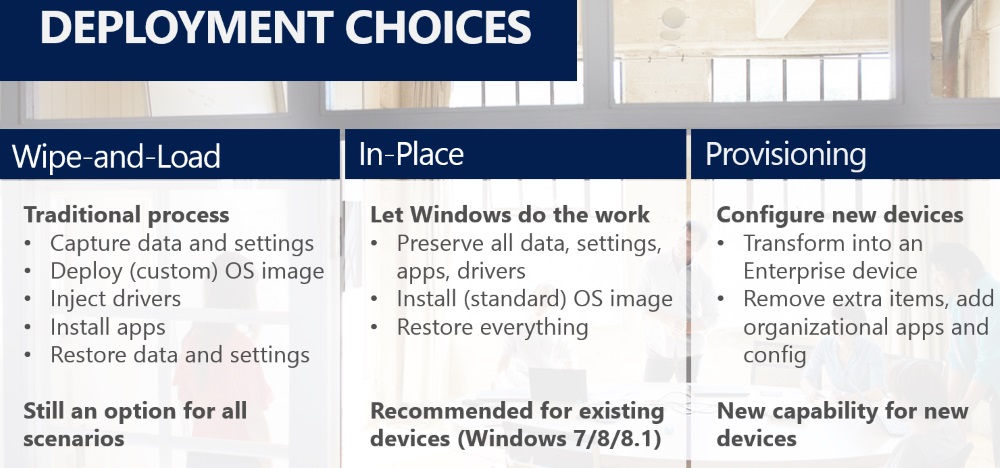
Microsoft is asserting that in-place upgrades have gotten a lot of attention this go around. The wipe-and-reload process is certainly an option but the company is claiming that in-place upgrade improvements will be able to make it the default method for OS updates with less fear of problems being carried forward.
#2 – Mobile Device Management
Windows has always had the advantage in my opinion because of its built-in tools like Active Directory and Group Policy. As organization borders blur, MDM capabilities offer some of that management even if the device is off premises.

#3 – Windows Store
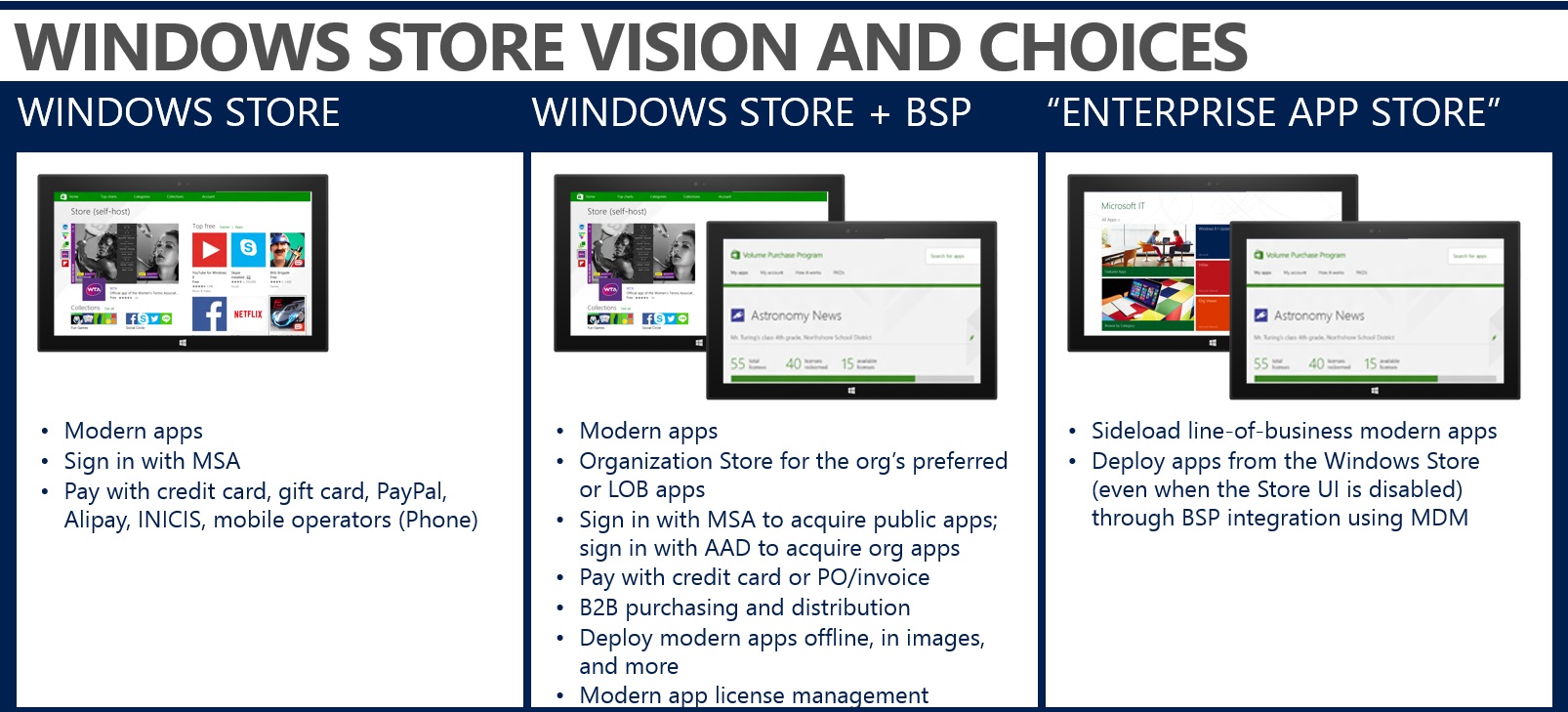
Microsoft detailed this improvement in its own blog post – Windows 10: A Store That’s Ready for Business.
Better late than never, Microsoft is coming around to volume purchasing, flexible distribution, license reclaim and re-use, a “Company” store, and the ability to deploy apps offline in images or even when the Store UI is disabled. This would definitely be an improvement over the method we currently have to use.
#4 – Two-Factor Authentication
The security segment of the event included several topics including secure identities. Instead of using something that can be left behind or broken like smart cards or tokens, Microsoft will be using Azure Active Directory and your mobile device, which can be left behind or broken, to provide two-factor authentication for everyone.
#5 – Data Protection
Microsoft also discussed data protection through data separation and containerization. VPN access could also be limited to trusted apps instead of a blank slate once the connection to the organization is established.
#6 – Threat Resistance
Microsoft is improving threat resistance through architectural isolation and enterprise lockdown. Enterprise Lockdown is a white-list/black-list approach to applications. You could allow select applications to run with the white-list and be protected from threats like CryptoLocker or CryptoWall. They don’t say that you can give up the antivirus completely but left it as a decision you could make after analyzing your environment.

#7 – Internet Explorer on the “Edge:
Internet Explorer brought up the rear and had the last segment of the event. The name for the next version of Internet Explorer hasn’t been announced but it seems it will be something different than IE12, given the attention surrounding the name.
One of the changes coming to IE, comes from the model of other browsers. Microsoft is leaving the Legacy Web behind as well as the Modern Web and will only continue to support the “Edge”. An IE blog post goes into much more details on the change. They will be deprecating document modes and just supporting the “edge”, as only legacy enterprise apps were using docmodes.

#8 – Improved Internet Explorer Compatibility View and Enterprise Mode
Compatibility View and Enterprise Mode provide separate means to control the browser but can now be used together to emulate IE back to IE7 or IE5, and different combinations. The Internet Explorer Enterprise Mode Site List Manager can now specify IE7 Document Mode, Enterprise Mode, IE9 Document Mode, Default Mode, IE10 Document Mode and other combinations, this was released in a November update with another IE blog post to detail the new features.

Microsoft recommends getting your organization to IE11 to ease compatibility with Windows 10.