 The general consensus of Windows 8 that I’ve been seeing since the consumer preview release has been that the next major operating system is interesting, an update to Windows 7 (besides the Metro UI), and the interface looks like it will be good for tablets and touch-capable displays. As I wrote about yesterday in 8 annoyances of Windows 8, for the majority of people that have a keyboard and mouse as their sole input devices, the interface change has required an increased number of clicks to accomplish simple tasks.
Fortunately, some keyboard shortcuts can cut straight to the heart of the problem. For example, using the mouse to shut down from the Desktop consists of:
- mouse to the bottom-left corner and click to open the Start Menu
- mouse to the top-right corner to open the Charms menu
- mouse to bottom-right corner to hit settings
- click on Power
- click on ‘Restart’.
With keyboard shortcuts, I can reduce it to:
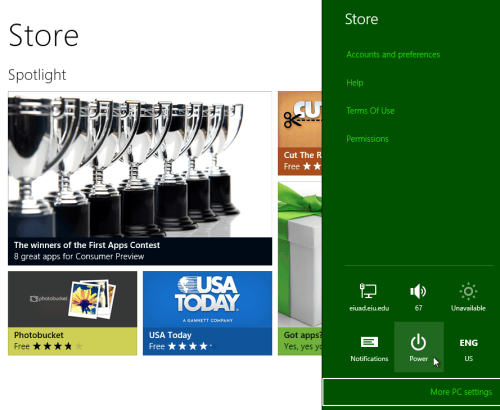
- hit Windows key + I
- click on Power
- click ‘Restart’.
It’s a lot fewer steps and a lot less distance for the mouse to cover. So, I’ve compiled a list of some useful keyboard shortcuts that have new behaviors in Windows 8 and some keyboard shortcuts that carry over plenty of usefulness. Check out the list after the jump.

Windows Key + X: brings up Start Menu Right-click from anywhere

Windows Key + C: Brings up Charms Menu

Windows Key + Q: Brings up the All Apps list if you’re in the Start menu or Desktop, brings up app list sidebar if you’re currently in a Metro app

Windows Key + I: Brings up (context-aware) Settings menu (provides easy access to shutdown, notifications, and system tray)
Windows Key + K: Brings up connected devices
Windows Key + H: Brings up the Share menu

Windows Key + F: Brings up the File Search in Metro Start

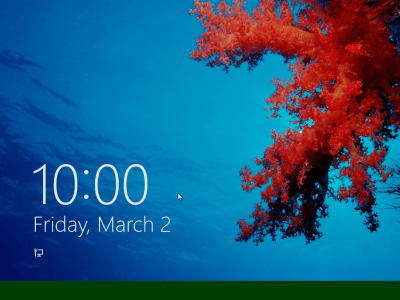
Spacebar on the lock screen: Moves the lock screen out of the way immediately
Windows 8 Keyboard Shortcut list (without pictures)
Windows Key + X: brings up Start Menu Right-click from anywhere
Windows Key + C: Brings up Charms Menu
Windows Key + Q: Brings up the All Apps list if you’re in the Start menu or Desktop, brings up app list sidebar if you’re currently in a Metro app
Windows Key + I: Brings up (context-aware) Settings menu (provides easy access to shutdown, notifications, and system tray)
Windows Key + K: Brings up connected devices
Windows Key + H: Brings up the Share menu
Windows Key + F: Brings up the File Search in Metro Start
Spacebar on the lock screen: Moves the lock screen out of the way immediately
Keyboard shortcuts carried over from Windows 7 or earlier
Windows Key + D: Toggles restore/minimize all to Desktop
Windows Key + M: Minimize all
Windows Key + E: Brings up the (My) Computer, listing your drives
Windows Key + U: Brings up accessibility options
Windows Key + Pause/Break: Brings up System Information
Windows Key + R: Opens the Run window
Windows Key + P: Opens projector/second display menu
Windows Key + B: Selects the “hidden icons” menu
Windows 1 – 9: Opens the pinned taskbar items that correspond with the number (left to right)
Windows Key + L: Locks the computer
Image credits
Windows 8 Loading bar