Dropbox sent out an e-mail late last night informing users of the popular file syncing service that it has updated the Terms of Service. Dropbox had just updated their ToS in April and garnered some publicity across the web for adding a section that stated they would hand over your files at the request of law enforcement.
As set forth in our privacy policy, and in compliance with United States law, Dropbox cooperates with United States law enforcement when it receives valid legal process, which may require Dropbox to provide the contents of your private Dropbox. In these cases, Dropbox will remove Dropbox’s encryption from the files before providing them to law enforcement.
More recently, Dropbox was making headlines a couple weeks ago when it left user accounts “unlocked” for four hours. Somehow, this didn’t warrant a notice to users until it got into the press. Along with last night’s e-mail, Dropbox also wrote about the changes on their blog highlighting the changes about encryption keys, data practices, location and log data, De-duplication, and mobile encryption.
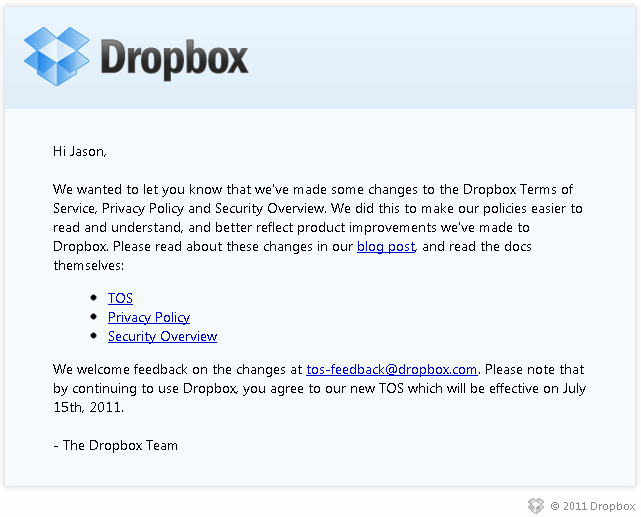
The changes are intended to make the ToS more readable and less legalese. However, Dropbox users seem to be a little more scrutinous these days and are voicing their discomfort on the Dropbox forums and other Internet forums about a particular paragraph in the Terms of Service. The paragraph is very similar to a section in Google’s Terms of Service that I picked on a year ago. From the Dropbox Terms of Service, users are questioning this section:
By using our Services you may give us access to your information, files, and folders (together, “your stuff”). You retain ownership to your stuff. You are also solely responsible for your conduct, the content of your files and folders, and your communications with others while using the Services.
We sometimes need your permission to do what you ask us to do with your stuff (for example, hosting, making public, or sharing your files). By submitting your stuff to the Services, you grant us (and those we work with to provide the Services) worldwide, non-exclusive, royalty-free, sublicenseable rights to use, copy, distribute, prepare derivative works (such as translations or format conversions) of, perform, or publicly display that stuff to the extent we think it necessary for the Service. You must ensure you have the rights you need to grant us that permission.
While writing this article, Dropbox has updated their blog post and already updated the Terms of Service again in response to the feedback they’re getting of users not liking the text. It clarifies that they have the license to your files solely to “technically administer, display, and operate the Services”.
We asked for your feedback and we’ve been listening. As a result, we’ve clarified our language on licensing:
We sometimes need your permission to do what you ask us to do with your stuff (for example, hosting, making public, or sharing your files). By submitting your stuff to the Services, you grant us (and those we work with to provide the Services) worldwide, non-exclusive, royalty-free, sublicenseable rights to use, copy, distribute, prepare derivative works (such as translations or format conversions) of, perform, or publicly display that stuff to the extent reasonably necessary for the Service. This license is solely to enable us to technically administer, display, and operate the Services. You must ensure you have the rights you need to grant us that permission.
Is the damage already done though? I’ve read from several people that are deleting their files out of Dropbox and looking for other services that don’t believe being in “the cloud” automatically means sacrificing security.
Some users are mentioning encrypting their dropbox folder before it gets uploaded, a fine idea, and it’s made easier with a service called BoxCryptor. Others are recommending services that take a zero knowledge approach to accessing your files like Wuala or SpiderOak. Wuala gives you 1GB of storage free while SpiderOak gives you 2GB free.
I’ve been setting up and messing around with SpiderOak today and would recommend it as a Dropbox alternative with security in its premise. It works well and supports multiple platforms including Windows, Mac, and Linux as well as iPhone/iPads and Android mobile devices. It’s not as idiot-proof as Dropbox for the initial setup but that also gives it a little more flexibility. Once you setup your backup folder(s), the syncing process is back to what you’re used to.
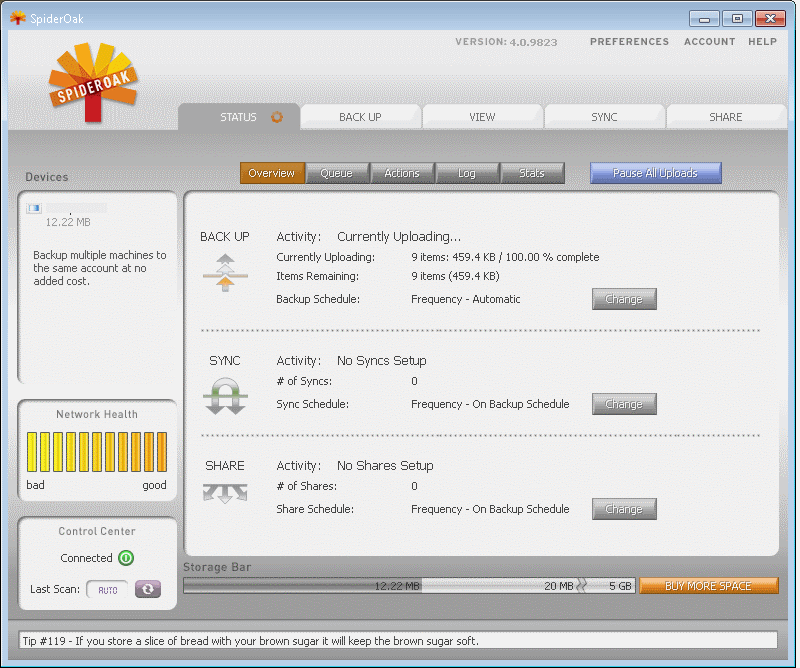
Check out SpiderOak and see if it’s worth changing for you, even after Dropbox’s further clarification of their ToS. It looks like the SpiderOak Promo Code WORLDBACKUPDAY is still active from World Backup Day. If you sign up for your account with that code, it will actually give you 5GB of free storage across any additional devices free. Secondly, if you sign up for SpiderOak with a referral link you will get an extra 1GB of storage space as will the other person. Spread the wealth and use a referral link from the comments.
Even if you have nothing to hide from law enforcement or any intellectual property worth stealing, keeping your content in the cloud safe, secure, and from prying eyes, should be a priority. For that reason, try out SpiderOak or research other services that put security first. I have already set up the service on my desktop and Android phone without any problems.
Update: All right, I’ve received a bunch of referrals so thank you very much. If you’d like to generate your own referral code after you sign up and post it in the comments, we can get a rolling referral going on where everybody will get an extra GB when they sign up and another when the next person signs up.