If where you work has an agreement with Microsoft (or Micrsoft as the posters in Wal-Mart spell it), you could benefit as an employee by being able to purchase a super-cheap copy of Microsoft Office 2010 for Windows or Office 2008 for Mac through Microsoft’s Home Use Program. For $9.95 and your employment at a company with this agreement, you can get Office Professional Plus 2010. This includes Access, Excel, SharePoint Workspace, infoPath, OneNote, Outlook, PowerPoint, Publisher, and Word.

You can find more info about the Home Use Program at www.MicrosoftHUP.com. You’re licensed to use the software as long as you’re employed by the company with the agreement with Microsoft and the Software Assurance agreement is continued.
You acknowledge that your right to use Microsoft® software under an MSHUP license will expire upon the earlier of
(a) termination of your employment with the volume licensing customer through which you gained access to MSHUP, or
(b) the expiration or termination of Software Assurance coverage for the corresponding copy of the MSHUP – eligible desktop application that you use at work.
To use the HUP, you’ll need to enter your work e-mail and a program code that your employer provides.

If the domain of your e-mail and the Program Code match up you’ll be presented with the option to add Office Professional Plus 2010 or Office 2008 for Mac to your Cart.

After adding the items to your cart, you’ll be given the option to request a backup DVD be shipped to you for an extra $12.

To check out, you just need to enter your billing info and pay with Visa, Mastercard, American Express, or Discover credit cards.

With tax, the purchase cost me $10.57 total. Not bad for something that would normally cost $457 through Amazon for Office 2010 Professional and even $149 for Office 2010 Home and Student.

After you confirm the purchase, you’ll be given the ability to download the 650 MB Office Professional Plus 2010 installer, Business Contact Manager at 450MB, and Microsoft Communicator for 10MB.

You’ll also receive an e-mail with the serial number and a link to the downloads as well.

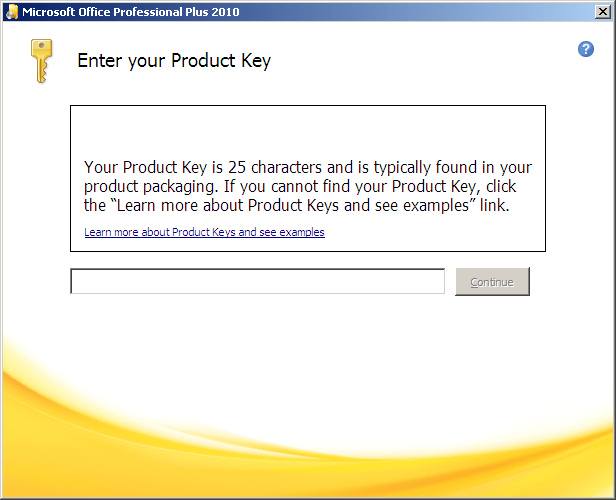
Once you have the executable downloaded and you’re ready to install it, you’ll be asked for the product key that was provided to you. Copy+paste the product key in, wait for it to validate, and then hit the Continue button.
After that, select your install options like normal whether you’re installing Office for the first time or upgrading from Office 2007.

It might be worth a quick ask around the office to find out if your company benefits from the Microsoft Home Use Program to same you some money on the full Microsoft Office suite.